Let’s be real, the world of AI art is everywhere you look these days. From hyper-realistic portraits to fantastical landscapes, it’s a fascinating and, let’s face it, a little intimidating space to jump into. As someone who enjoys dabbling in a bit of digital creativity, I decided it was time to put one of these tools to the test.
I’ve always been a fan of Pixlr’s easy-to-use photo editor, so I figured their new AI Image Generator would be the perfect starting point. I spent a good few hours playing around with it, and here’s my honest take on what it’s like to use.
If you’re like me and constantly on the hunt for more AI image tools that make creativity effortless, this review will give you some solid insights before you dive in.
The Toolkit: A Quick Look at the Features
Before diving into my personal experience, it’s worth highlighting what Pixlr’s image generator brings to the table. It’s built right into their online suite, so you don’t need a separate app or anything, which is a big plus. The main features are:
- Text-to-Image: The core function where you type a description (a “prompt”) and the AI creates an image.
- Style Selection: You can choose from various artistic styles like “Anime,” “Digital Art,” “Photo,” and “Oil Painting,” which gives you a great starting point.
- Adjustments & Variations: You can tweak the aspect ratio and generate different versions of the same prompt to find the perfect one.
- Integrated Workflow: The best part is that once you have an image you like, you can instantly open it in the full Pixlr photo editor to make further tweaks.
My Personal Journey: Highs and Lows
Using the tool was a mixed bag, but mostly in a good way. The “pros” definitely outweigh the “cons,” especially for a casual user like me.
The Pros (What I Loved)
- So Simple to Use: The interface is incredibly clean and intuitive. I was generating my first images within seconds of landing on the page. There’s no steep learning curve, which is perfect for beginners.
- Instant Gratification: The speed at which it generates images is impressive. You type in a prompt, and a few seconds later, you have four different options to choose from. It’s addictive!
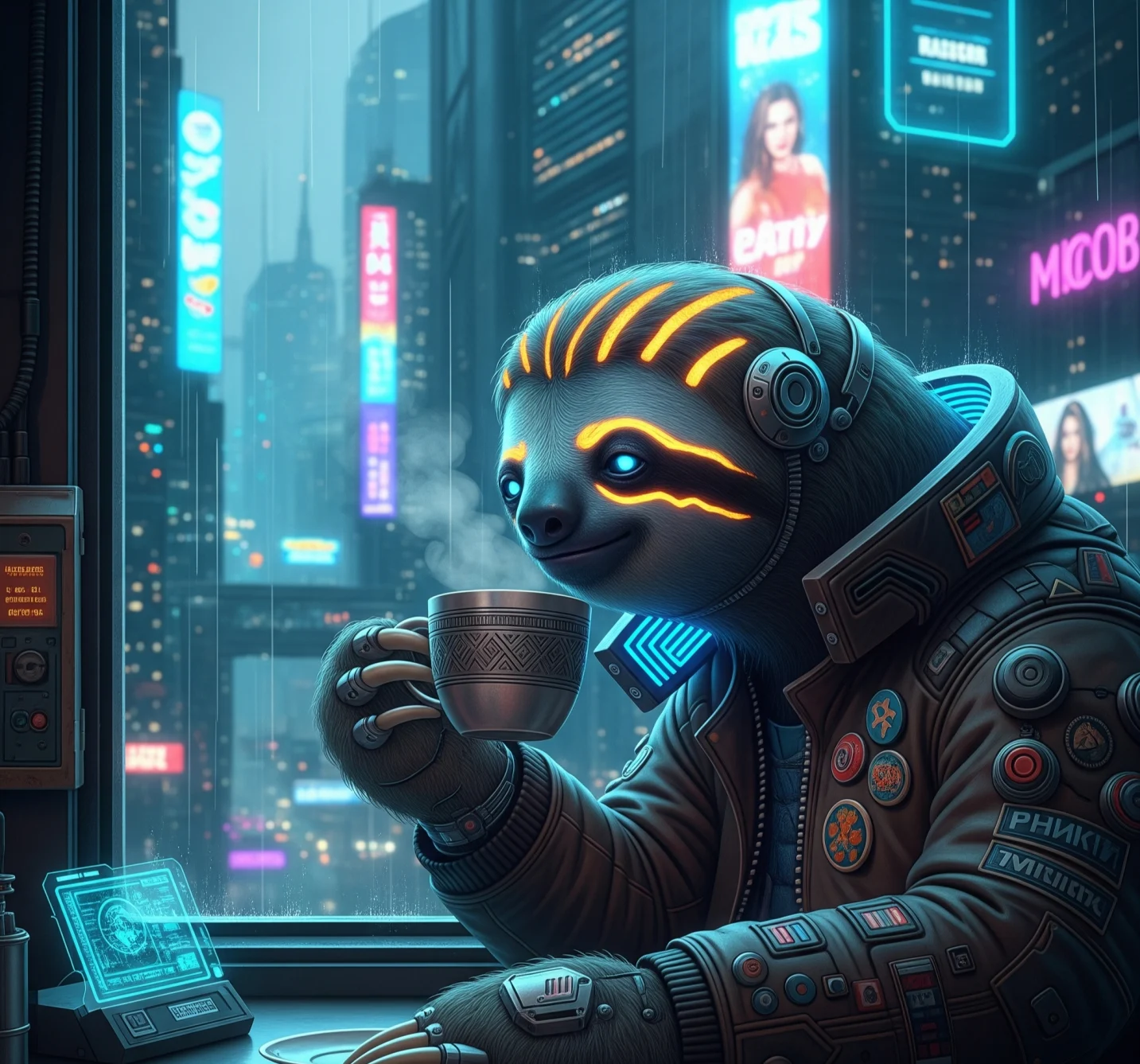
- The Surprise Factor: I had a lot of fun just throwing in random, ridiculous prompts to see what the AI would come up with. It’s a great tool for creative brainstorming and can lead to some truly unique and unexpected visuals. I once asked for “a cyberpunk sloth drinking tea,” and the result was surprisingly good!
- Style Options: The different style presets are fantastic. The “Photo” option produced some surprisingly realistic-looking images, while the “Digital Art” style gave me some lovely, painterly results.
The Cons (The Fiddly Bits)
- Getting Specific is a Challenge: While it’s great for general ideas, getting a very specific image out of it can be tricky. You really have to get good at writing detailed, descriptive prompts, and even then, the AI might miss a key detail. This led to some frustrating moments when I was trying to recreate a precise vision.
- The “AI Weirdness” is Real: Like most AI generators, it occasionally creates images with bizarre distortions, especially when it comes to faces and hands. You’ll likely get a few weird-looking creations that are good for a laugh, but not much else.
- Credit System: While there is a free version, it operates on a credit system, which means you can only generate a certain number of images per day. If you get hooked like I did, you’ll hit that limit pretty quickly.
Who is Pixlr best for?
Based on my time with it, the Pixlr Image Generator is perfect for:
- Hobbyists and Creative Explorers: If you’re a designer, a writer, or just someone looking for visual inspiration without investing in expensive software, this is an excellent tool to play with.
- Social Media Managers: Need a quick, unique image for a post? This is a great way to generate original content in a flash.
- Existing Pixlr Users: If you already use their photo editor, this is a natural and seamless addition to your creative workflow.
Transform your ideas into visuals. Start using Pixlr AI!
My Star Rating: (4 out of 5 Stars)
I’m giving it a solid 4 out of 5 stars.
Why 4 Stars?
My rating reflects the fact that it excels in its primary goal: making AI image generation accessible and fun. The user-friendly interface and quick results make it a joy to use. The one star deduction comes from its occasional inconsistency and the limitations of its prompt-to-image accuracy, which can be frustrating when you have a precise vision in mind.
Conclusion & Recommendation
All in all, I really enjoyed my time with the Pixlr Image Generator. It’s a powerful and engaging tool that can genuinely spark your creativity. While it’s not perfect and requires a bit of patience with the prompts, it’s an excellent way to get a taste of what AI art is all about. If you’re curious and looking to try something new, I highly recommend giving it a go. Just be warned, you might find yourself generating “a wizard on a skateboard” for an hour straight!
FAQs
Find answers to common questions below.
Can I use the generated images for my blog or website?
Yes, Pixlr allows you to use AI-generated images for personal and commercial projects.
Does Pixlr's AI tool have a watermark?
No, AI-generated images from Pixlr do not include watermarks.
What's the difference between the free and paid versions?
The free version has limited daily credits; the premium plan offers more credits, faster processing, and advanced features.
Can I train the AI on my own images?
No, Pixlr’s AI currently doesn’t support custom model training.
What are some good tips for writing a better prompt?
Be descriptive, mention styles, colors, and mood. Example: “Cyberpunk city at night with neon lights, anime style.”