Let’s be honest: when was the last time you spent an entire afternoon manually refactoring boilerplate code and actually enjoyed it? Probably never. For years, we’ve settled for code editors that were essentially just fancy typewriters with spell-check. But the launch of Cursor 3 has officially shifted the goalposts.
If you’ve been following the AI arms race, you know Cursor has already been nipping at the heels of VS Code. However, this third major version isn’t just a minor patch-it’s a fundamental rethink of how humans and machines collaborate on a codebase.
The Rise of Subagents: Divide, Conquer, and Code
The “headliner” of this release is undoubtedly the introduction of Subagents. But what does that actually mean for your daily workflow?
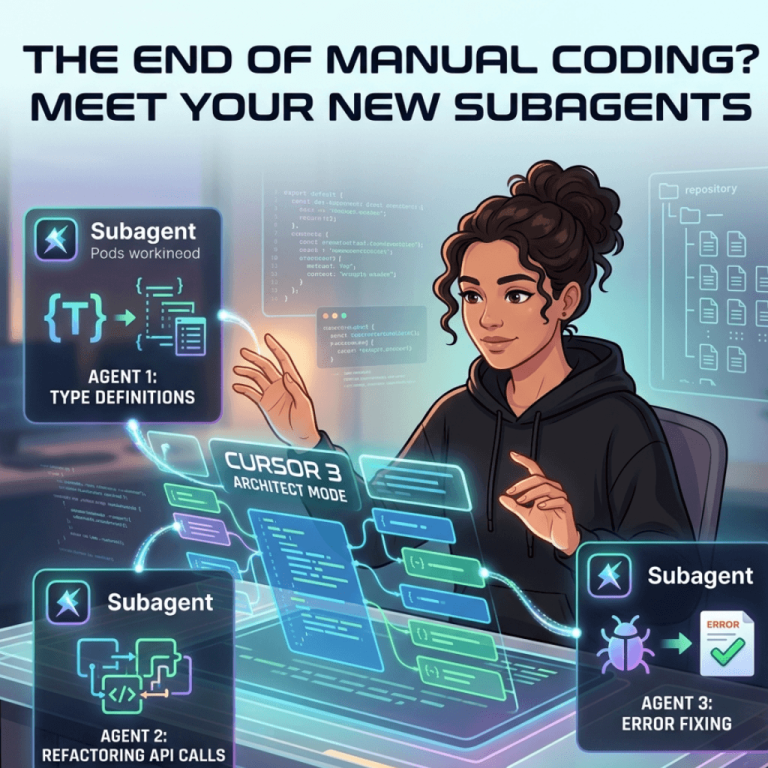
Imagine you’re migrating a project from JavaScript to TypeScript. Historically, even with AI, you’d have to prompt the LLM, copy the code, check for errors, and move to the next file. Cursor 3 changes the game by deploying multiple subagents that can handle different parts of a complex task simultaneously. While one agent is mapping out your type definitions, another is refactoring your API calls.
This parallel processing power doesn’t just make things faster; it effectively slashes file conversion times, turning hours of tedious migration into a few minutes of supervision. It begs the question: if the editor is doing the heavy lifting, does the developer become the “Architect” rather than the “Builder”?
Why Developers are Jumping Ship from VS Code
It’s a bold move to challenge Microsoft’s dominance, but the Cursor vs VS Code vs Windsurf comparison highlights a critical shift. While VS Code relies on plugins (like Copilot) to add AI functionality, Cursor was built with AI in its DNA.
Here is why Cursor 3 is currently winning the “vibe check” among senior devs:
- Deep Contextual Awareness: It doesn’t just look at the file you have open; it understands your entire repository.
- Predictive Function Bodies: It’s getting eerie how well it predicts the next five lines of logic you were about to write.
- Seamless UX: Because it’s a fork of VS Code, you can import all your favorite themes and extensions instantly. No learning curve, just more power.
The “Agentic” Shift: More Than Just Autocomplete
We’ve moved past the era of simple autocomplete. We are now entering the era of Agentic IDEs. In Cursor 3, the AI isn’t just suggesting words; it’s executing workflows.
Have you ever felt the “context-switching fatigue” of jumping between your terminal, your browser, and your editor? Cursor 3 aims to minimize this by allowing its agents to run terminal commands and fix errors in real-time. If a build fails, the subagent identifies the bug, proposes a fix, and asks for your “OK.” It’s less like using a tool and more like managing a very talented junior developer who never sleeps.
Final Thoughts: A New Standard for Productivity
Is Cursor 3 perfect? No tool is. There are always concerns about privacy, token costs, and the “black box” nature of AI-generated logic. However, the sheer leap in productivity is impossible to ignore.
By introducing Subagents and optimizing for multi-file complexity, Cursor has set a new benchmark. It forces us to ask: are we ready to stop “writing” code and start “directing” it? For those willing to embrace the change, the days of staring at a blinking cursor in frustration might finally be over.
The future of software engineering isn’t just about knowing the syntax-it‘s about knowing how to orchestrate the AI that writes it. Whether you’re a solo founder or part of a massive dev team, Cursor 3 is a glimpse into that future. Are you moving in, or staying behind?
FAQs
Find answers to common questions below.
Can Cursor 3 really handle multiple coding tasks at once?
Yes! Through its new Subagents architecture, Cursor 3 can parallel-process different parts of a codebase-like refactoring one module while updating type definitions in another-drastically reducing manual labor.
Will switching from VS Code to Cursor 3 mess up my workflow?
Surprisingly, no. Since Cursor is a fork of VS Code, you can import all your extensions, themes, and keybindings instantly, gaining AI "superpowers" without losing your familiar setup.
Does the "Agentic" nature of Cursor 3 mean I don’t need to know how to code?
Not quite. While it handles the "grunt work," the developer’s role shifts toward being an architect. You still need to review logic and guide the AI’s intent, but the barrier between idea and execution is thinner than ever.